
A WordPress redirect plugin handles 301s at the application layer, but for a site relaunch the smarter move is a must-use (MU) plugin that fires only when a request would 404. Build it on staging, verify it before launch day, and your old URLs are covered from the moment the new site goes live — no launch-day scripting, no scramble.
- Inventory every published URL by type before you write a single redirect rule — we counted 582 on one recent rebuild (52 pages, 4 posts, 526 event custom post type entries).
- Collapse bulk content into prefix rules; keep exact rules for key pages. Six prefix rules and 54 exact rules covered all 582 URLs.
- Gate the redirect logic on a 404 check — URLs that exist on the new site are never touched.
- Install the plugin on staging so it ships with the site; launch day becomes a re-verification, not a deployment.
- Test redirect samples and control URLs (must-not-redirect) before you flip DNS.
Why a Relaunch Needs Redirects Finished Before Launch Day
Many relaunches treat redirects as a cleanup task — something to handle after complaints roll in. That approach hands 404s to Google’s crawler on day one, and Google’s page on HTTP status codes says: “If a URL was previously used but is now returning 4xx status code, Google systems will stop using the URL over time.” Links that took years to build can lose their equity before anyone notices the problem.
On a recent rebuild — a WordPress site on Kinsta with a custom post type for events — we had 52 pages plus hundreds of event posts to account for. The decision was simple: redirects get finished and verified on staging, or the relaunch does not happen. That discipline is what separates a clean migration from an SEO site migration that costs months of recovery.
If you are planning a full site redesign, our guide to redesigning a website without losing SEO covers the wider process, and you can see how we approach custom website design built to rank.
Googlebot can come back to your old URLs soon after the switch, and every day they return a 404 is a day Google can start dropping them. A redirect added later still works, but only once Google recrawls each URL. Having the redirects live at launch means none of that starts.
Start With a Full Inventory of Old URLs
Before you write a single rule, you need a complete list of every URL the current site serves. Guessing is not good enough. We pulled the inventory by post type from the live site: 52 pages, 4 posts, and 526 event custom post type entries — 582 URLs total. That number only becomes real when you export it; sites almost always have more content than anyone on the team remembers.
Tools that work well here include a crawl with Screaming Frog SEO Spider, a direct database query on wp_posts filtered to post_status = 'publish', or a WP-CLI export. Whatever the method, group results by post type. That grouping is what makes the next step — writing the rules — fast.
Build the Old-to-New Redirect Map as a CSV
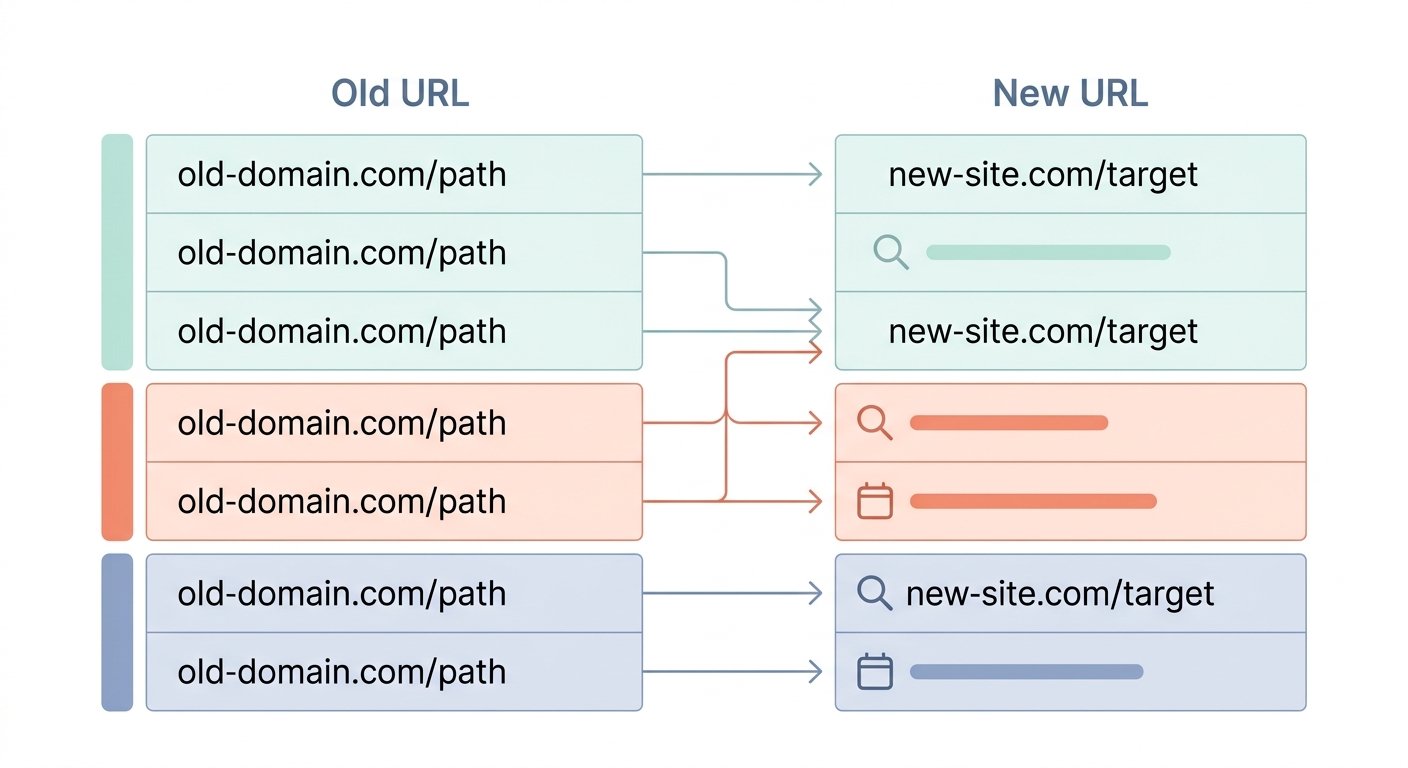
A spreadsheet with two columns — old URL, new URL — is the only artifact that matters at this stage. Keep it flat. Every stakeholder can read it, every developer can import it, and it becomes your test checklist later.
For the rebuild described here, every old URL got a row with its new destination. Ordering, menu and gift card URLs were the odd ones out: they mapped to an external ordering platform, outside WordPress.
Do not start writing plugin code until the CSV is signed off. A redirect rule is only as good as the mapping behind it, and a mapping error found in a spreadsheet costs ten minutes; the same error found after launch means 404s, lost visits and a wait for Google to recrawl.
Exact Rules vs. Prefix Rules: How 582 URLs Became 60 Rules
This is where most redirect tutorials stop too early. Writing one rule per URL is fine for a 20-page brochure site. It does not scale to 526 event posts.
A prefix rule says: “any request that begins with /events/ should redirect to /calendar/.” One rule, hundreds of URLs covered. Exact rules handle the exceptions — key pages where the destination is specific and cannot be generalized.
Our breakdown for this rebuild:
- 54 exact rules — the key pages, each sent to its own specific destination.
- 6 prefix rules — the bulk content, including the hundreds of event URLs.
The ordering, menu, and gift card URLs required special handling because their destinations were absolute URLs on a third-party domain. A prefix rule pointing off-site works the same way — it just needs to output the full external URL rather than a relative path.
| Rule type | Best for | Count used | Coverage |
|---|---|---|---|
| Exact match | Key pages, high-authority URLs, unique destinations | 54 | 54 URLs |
| Prefix match | Bulk post types, legacy subfolders, archived sections | 6 | 528 URLs |
A WordPress Redirect Plugin vs. an MU-Plugin vs. Server Rules
There are three common places to run redirect logic in a WordPress stack. Each has a different tradeoff on performance, portability, and risk.
| Method | Where it runs | Performance | Portability | Risk on relaunch |
|---|---|---|---|---|
| WordPress redirect plugin (e.g., Redirection) | PHP, after WordPress loads | Adds a DB query per request | High — GUI, importable CSV | Stops working if someone deactivates the plugin |
| MU-plugin (must-use) | PHP, loaded before regular plugins | Same as plugin, but always active | High — ships in /mu-plugins/ with the site |
Low — cannot be deactivated accidentally |
| Server-level rules (.htaccess / Nginx) | Web server, before PHP | Fastest — no PHP overhead | Low — host-specific syntax, lost on host migration | Config errors can break the site entirely |
Server-level rules are the fastest, but they live in the host’s configuration rather than in the site’s files, so they don’t travel with the site. A standard WordPress redirect plugin is portable and has a good UI, but it can be deactivated by a panicked admin clicking through plugins. An MU-plugin lives in /wp-content/mu-plugins/, loads automatically, and ships with the site in version control. For a relaunch, that reliability is worth more than the marginal speed difference of server rules.
How Our 404-Gated MU-Plugin Works
The key design decision was this: the plugin only fires when the request would return a 404. URLs that exist on the new site are never touched. That means a page like /contact/ that exists on both the old and new site sees zero redirect overhead — WordPress serves it normally.
The logic in plain terms:
Hook into template_redirect
The plugin hooks into WordPress at the template_redirect action, which fires after WordPress has determined what to serve for a given request.
Check for a 404 status
If is_404() returns false, the plugin does nothing and exits immediately. Normal pages, posts, and archives are untouched.
Match the request URI
If it is a 404, the plugin checks the request URI against the exact rules array first, then runs through the prefix rules in order.
Issue the 301 and exit
On a match, it issues a 301 header with the destination URL and exits. No match means the standard 404 page is served — nothing is hidden from the user or the crawler.
This pattern — redirect only on 404 — is cleaner than front-loading every request through redirect logic. It also means you can deploy it on staging immediately without worrying about it interfering with development URLs that do not exist in production.
The right redirect plugin is the one that cannot be switched off by accident and ships with the site from day one.
Test on Staging: 9 Samples, 4 Controls, Then Re-Verify on Production
Untested redirects are not redirects — they are intentions. The test matrix for this rebuild had two categories:
- 9 redirect samples — URLs that must redirect, each checked against the map.
- 4 control URLs — pages that exist on the new site and must not redirect. If any control redirects, the 404 gate has a bug.
A quick way to test is curl -I, which shows the status code and destination without a browser following the chain. Every redirect sample should return 301 with a Location header pointing to the correct destination. Every control URL should return 200.
Test the full redirect chain, not just the first hop. A redirect that goes old URL → intermediate URL → final URL adds an extra hop for every visitor and crawler. Each rule in your plugin should point directly to the final destination.
At launch, the only remaining step is re-running the same test matrix on the production domain after DNS propagates. The plugin does not change — the staging-to-production deploy carries it. Re-verification confirms the production server serves the rules exactly as staging did.
For a broader look at how this kind of pre-launch work fits into an SEO-safe migration, the ecommerce migration checklist for 2026 covers the same principles at store scale.
Next Step: Redirect Planning Built Into Your Website Redesign
The 582-URL inventory, the CSV mapping, the 60-rule plugin, the staging tests — none of that happened on launch day. It was finished before a single DNS record changed. That is how redirect planning should work: as an engineering deliverable inside the build, not a fire drill after go-live. It is part of every website redesign we do.
At UltraWeb Labs, we build and rank websites for businesses across Boca Raton, Palm Beach County, Broward, and beyond. Our co-founder co-runs a $25M+ a year online store, so we treat the redirect map as part of the build, not a launch-day chore. Search-engine signals are built into the site architecture from the start, not patched in afterward.
If your site has custom post types, a large archive, or external platform integrations, the redirect map is more complex than a standard WordPress redirect plugin handles out of the box. The right answer depends on your URL structure, your host, and how much content is consolidating — and the right time to figure that out is before you design the new site, not after.
Frequently Asked Questions
What is the best WordPress redirect plugin for a site relaunch?
For most relaunches, a must-use (MU) plugin beats a standard WordPress redirect plugin because it cannot be accidentally deactivated and ships with the site in version control. If you prefer a GUI, Redirection is a well-maintained option with CSV import. The critical feature for a relaunch is 404-gated logic — the plugin should only fire when the request would 404, leaving live URLs untouched.
How do I redirect old URLs after a redesign?
Start with a complete inventory of every published URL on the old site, grouped by post type. Build a CSV mapping each old URL to its new destination. Collapse bulk content (like archived event posts) into prefix rules and keep exact rules for key pages. Install the rules in a plugin on staging before launch so they are verified and ready before DNS changes.
Should I use 301 redirects for a WordPress migration?
Yes. A 301 tells search engines the move is permanent, while a 302 says it is temporary. Google’s page on redirects says: “If you need to change the URL of a page as it is shown in search engine results, we recommend that you use a permanent server-side redirect whenever possible.”
What is a WordPress 301 redirect map?
A WordPress 301 redirect map is a structured list — typically a CSV or spreadsheet — that pairs every old URL with its new destination before any rules are written. It is the planning artifact that drives the plugin code. Without it, redirect rules are written reactively (after 404s appear) rather than proactively before launch.
How do I test redirects before launching a new WordPress site?
Install the redirect plugin on your staging environment and test two sets of URLs: redirect samples (URLs that should redirect, covering both exact and prefix rules) and control URLs (pages that exist on the new site and must return a 200). Use curl -I [URL] to read response headers directly. After launch, re-run the same test on the production domain to confirm the deploy carried the rules correctly.
Map and verify your redirects before the relaunch goes live
We handle the URL inventory, the CSV mapping, the MU-plugin build, and staging verification — so launch day is a confirmation, not a scramble. Book a call and we will walk through your current URL structure and what the migration plan looks like.

Skyler Libkie
Skyler Libkie joined UltraWeb Labs in 2022 and leads web design and SEO for the agency, building and ranking websites for South Florida businesses. UltraWeb Labs is an engineering-led web design and SEO agency in Boca Raton. Our co-founder, Damon Delcoro, co-runs Security Camera King, a $25M+ a year online store. More about Skyler →